One price for the whole shop.
GarageHub Pro is $99 a month. Add every advisor and technician you have; the price does not change.
GarageHub keeps appointments, check-ins, inspections, estimates, work orders and invoices in one place, on the laptop at the counter and the tablet in the bay.
Invitation-only preview · Runs in the browser on any laptop or tablet, nothing to install · GarageHub Free for one person, no credit card needed for the Free plan · GarageHub Pro is $99 a month with no per-user fees.
Preview build with sample data.
GarageHub Pro is $99 a month. Add every advisor and technician you have; the price does not change.
The owner can download the whole workspace from Settings at any time and restore it later from that file or from a saved snapshot. Work orders, invoices and payments also export as CSV.
Payments are recorded, not processed. Messages are drafted, not sent. Approvals are acceptance records, not signatures. We write that on the page where it matters.
Each step links to the one before it, so less gets retyped and less has to be carried in someone's head.

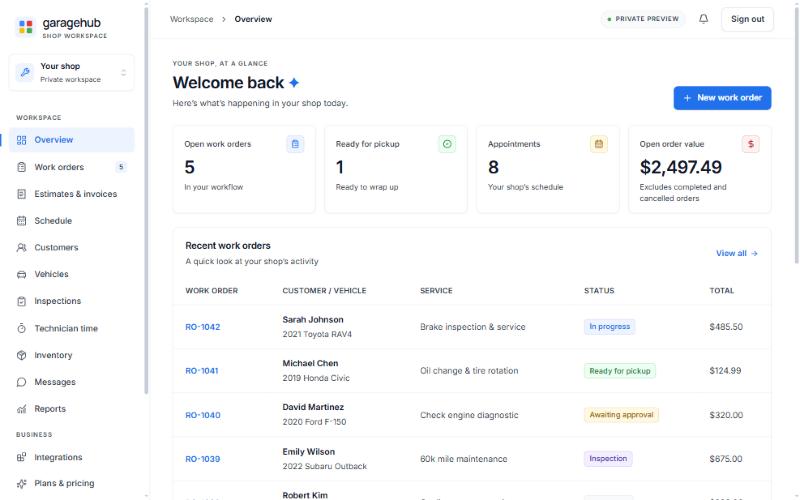
Open work orders, cars ready for pickup, upcoming appointments and open order value, before the first customer walks in.
Mileage, fuel level, key tag, the customer's concerns, walk-around notes and the promised time, saved to the vehicle in one step.
Checklist findings become proposed services. You copy the estimate's review link into your own text or email; the customer's decision comes back as a record on the estimate.
Marking the work order complete lets you issue a numbered invoice. The payment you took at the counter is recorded against it.
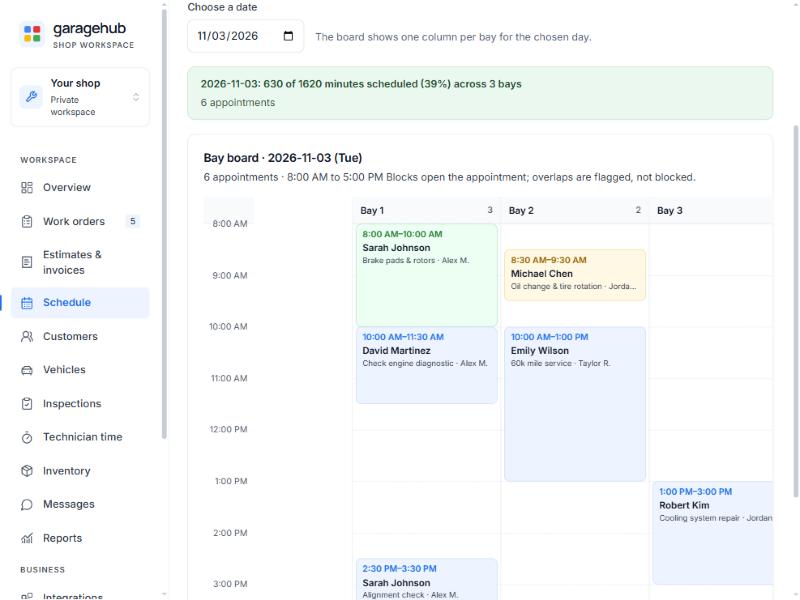
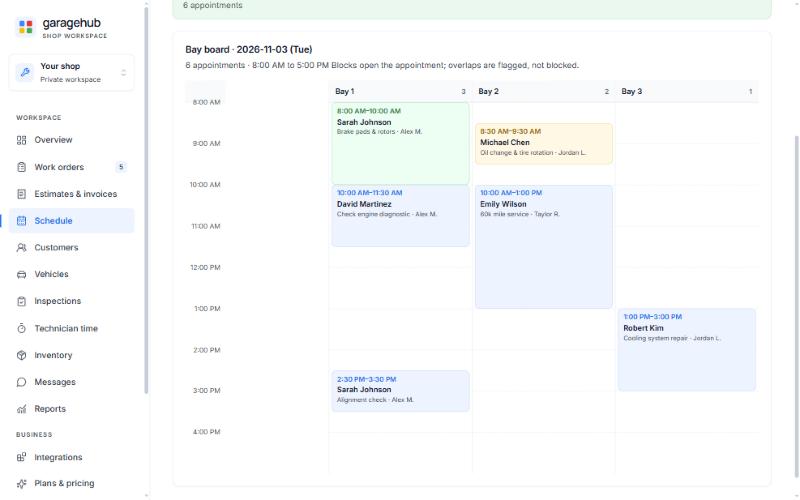
Each appointment can carry a bay and a technician. The bay board shows one column per bay for the day, with every job placed by its start time and estimated duration. Two jobs in the same bay at once, or one technician in two bays at once, are flagged, never blocked. You decide.
Every phone call, text and counter conversation can be noted on the customer's record by whoever handled it, linked to the work order, estimate, invoice or appointment it was about. Reminders with a due date and an outcome show up on the overview, so "I'll call you when the part's in" doesn't live on a sticky note.
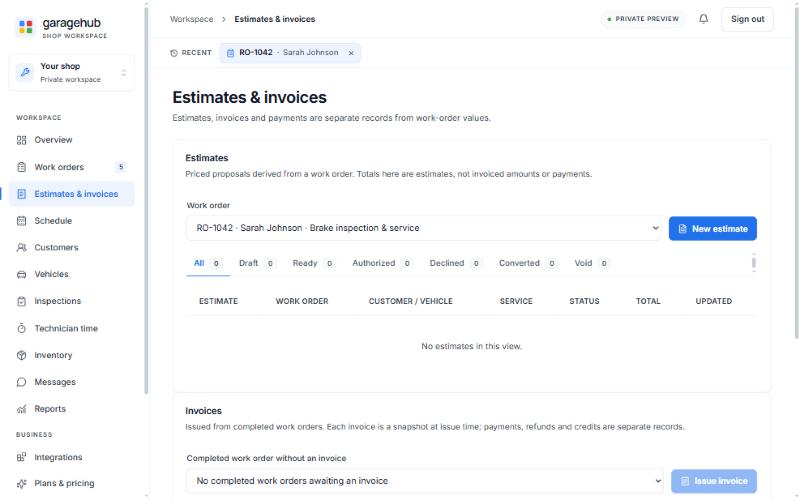
Convert the authorized estimate into the repair order, finish the job, mark it complete and issue the invoice from the work order. The invoice is a numbered snapshot of the lines, fees, discount, tax and totals at that moment; it never changes afterwards. Payments, refunds and credits are recorded against it as separate entries, and the balance is worked out from those records.
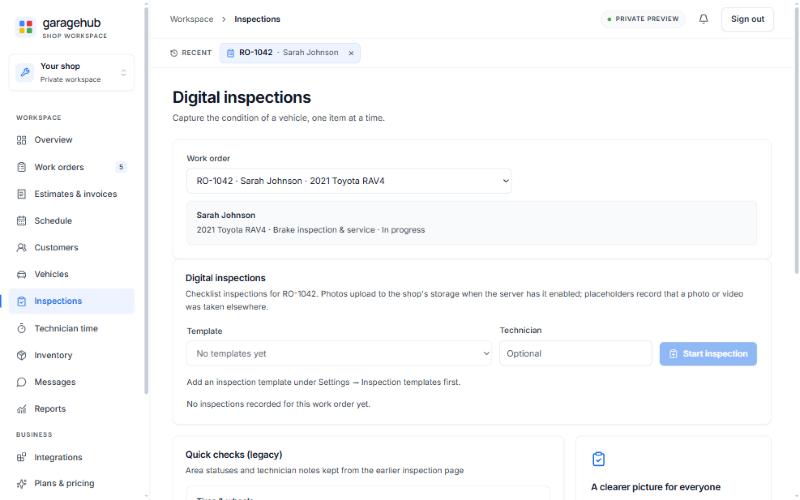
Build checklist templates once, run them on the tablet beside the car, mark each item Good, Attention or Immediate, add a note and a photo. Findings carry proposed services that the estimate can import. When the inspection is complete, a customer summary link shows the statuses, the recommended services without prices and the photos, never the technician's notes.

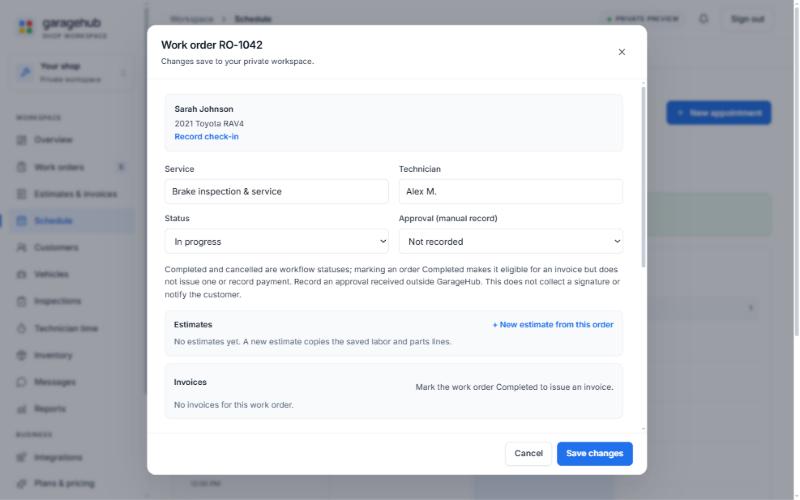
Service, technician, status, labor and parts lines, the check-in, the estimates and the invoice all live on the work order. Statuses are workflow steps: marking an order Completed makes it eligible for an invoice but doesn't issue one or record a payment.
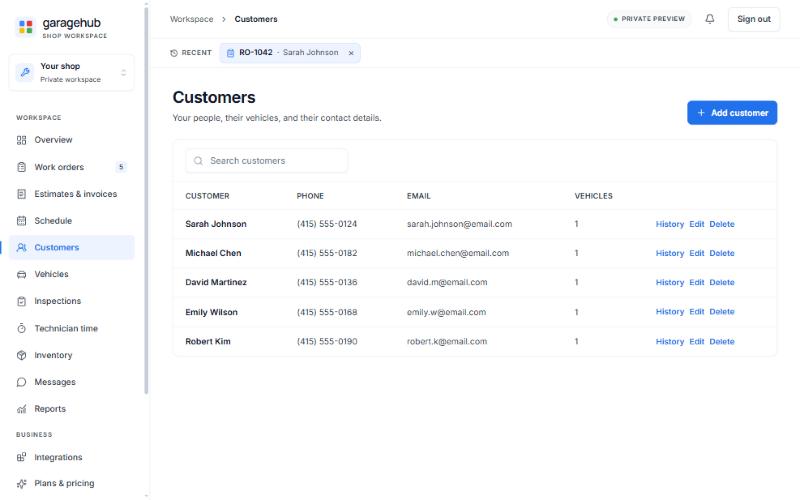
Search a customer, open a vehicle, and see every check-in, inspection, estimate and invoice in order. The vehicle editor checks a VIN's format, check digit and model-year plausibility offline; no decode, no lookup.
Invite the people who work in the shop; each one gets their own account and only the access their job needs. Managers and advisors can edit everything; technicians can read everything and change nothing; only the owner restores history, manages staff or changes shop settings. Every sign-in, invitation and role change is written to an audit log.
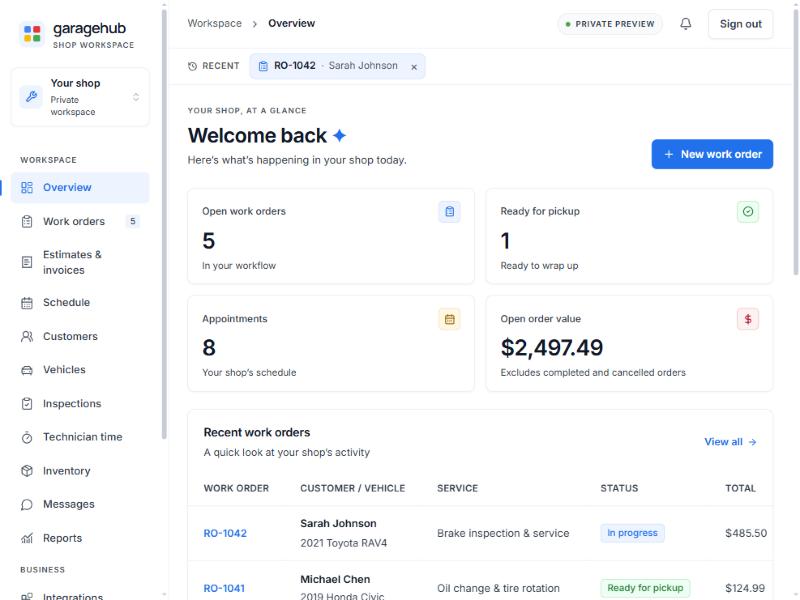
Each part of GarageHub picks up where the last one left off. Open any of them for the details, limits included. All screenshots on this page are from the preview build with sample data.
Appointments with a bay and a technician, a bay board for the day and a week overview against capacity.
Mileage, fuel, key tag and concerns saved to the vehicle; every record on the customer in order.
Checklist templates, Good / Attention / Immediate per item, photos, and a customer summary link.
Labor and parts lines, fees and tax, a review link the customer answers with a typed name.
Convert the authorized estimate, finish the job, issue a numbered invoice, record the payment.
Conversation notes, reminders with due dates and outcomes, message templates you copy yourself.
Staff accounts with roles, two-step verification, owner-issued reset codes and an audit log.
Sales by month, receivables aging, technician time and job profitability, from records you already keep.
We'd rather you know this before you move your shop in.
Shops join by invitation while we finish the checks a shop's records deserve. Ask for early access, or sign in if you already have an account.